
Color is one of the fastest, most subconscious ways humans make decisions — and designers who ignore that are leaving enormous impact on the table.
What Is Color Theory — And Why Every Designer Needs to Understand It
Walk into any room, open any app, or glance at any brand logo and color is already doing its job on you — often before you've read a single word. It shapes your mood, your trust, even your appetite. And yet, so many designers treat it as an afterthought rather than one of the most strategic tools in their arsenal.
If you've ever wondered why some designs feel instantly right and others feel off despite being technically correct, chances are color theory holds the answer. Let's break it down — what it actually is, how it works, and how you can start using it to make your designs genuinely connect with people.
What Is Color Theory, Really?
Color theory is essentially a collection of principles that help us understand how colors relate to one another and how to combine them in ways that feel intentional and harmonious. It spans everything from the basic mechanics of the color wheel to the psychology of how a shade of blue can make someone feel calm or a flash of red can trigger urgency.
Think of it less as a rigid rulebook and more as a framework — one that gives you the why behind design decisions that might otherwise feel purely instinctive.
The Color Wheel: Where It All Starts
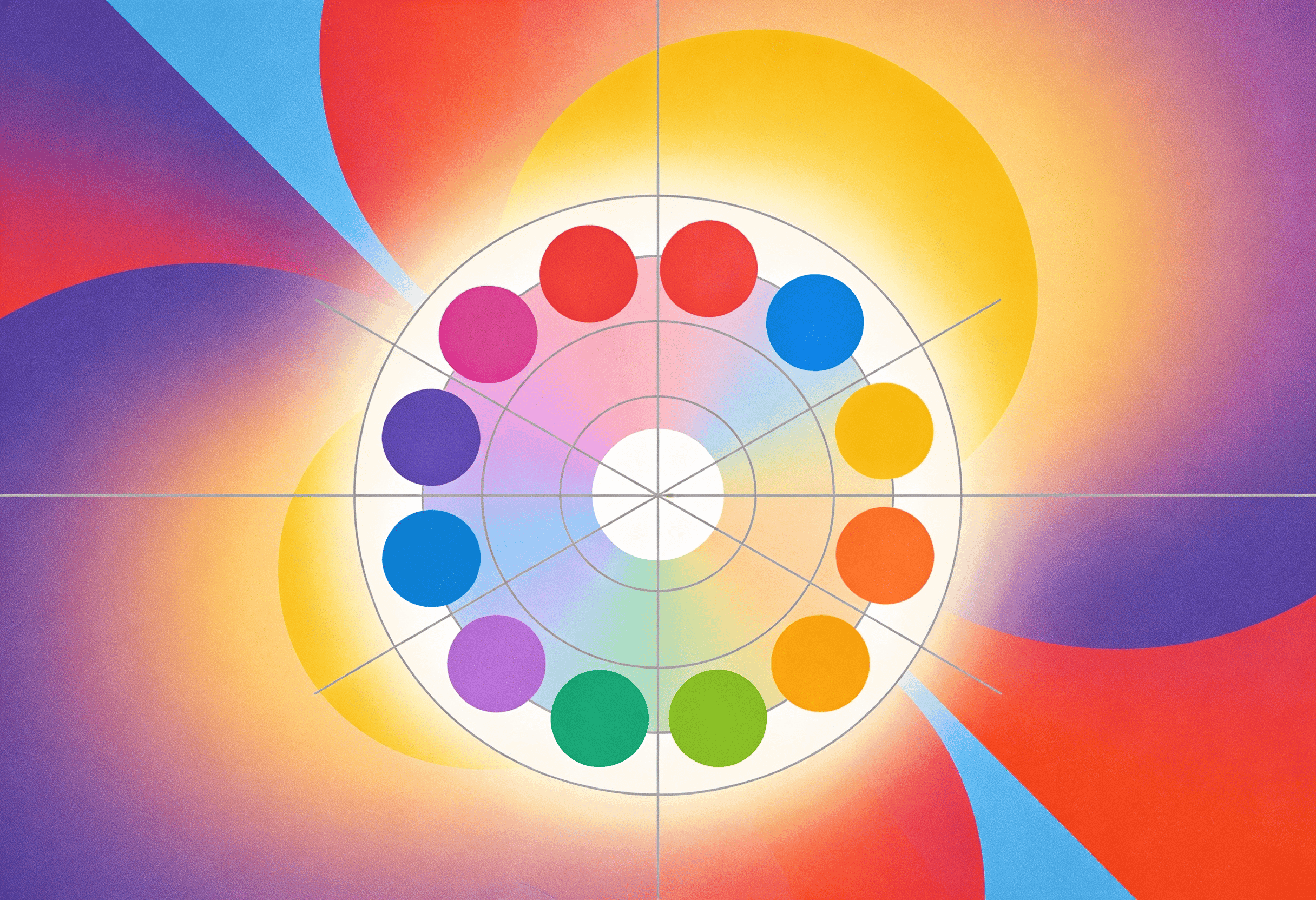
Sir Isaac Newton introduced the color wheel back in 1666, and the foundational logic hasn't changed much since. At its core, the wheel organizes colors by their relationships to one another.
Primary colors — red, blue, and yellow — sit equidistant around the wheel, forming the building blocks of everything else.
Secondary colors — orange, green, and purple — are created by mixing two primaries together.
Tertiary colors emerge when you blend a primary with a neighboring secondary.
In practice: Say you're designing a website for a children's learning platform. Reaching for bold primary colors — a vivid red for CTAs, a bright blue for navigation — instantly signals energy and playfulness without you needing to say a word.
Color Relationships: The Real Design Superpower
Knowing where colors sit on the wheel is one thing. Understanding how they interact is where things get interesting — and where most design decisions are actually made.
Complementary Colors
These sit directly opposite each other on the wheel (think red and green, or blue and orange). The contrast is bold and eye-catching, which makes complementary pairings great for drawing attention. Just be careful — too much contrast across a whole layout can feel aggressive rather than dynamic.
Analogous Colors
Neighboring colors on the wheel (like blue, blue-green, and green) naturally flow together. Analogous schemes feel cohesive and calm, making them a go-to for designs where you want to create atmosphere without visual tension.
Triadic Colors
Pick three colors evenly spaced around the wheel and you've got a triadic scheme — vibrant and balanced at the same time. It's a harder palette to pull off, but when it works, the result feels both lively and considered.
In practice: Designing a flyer for a health and wellness event? Green carries associations with nature and vitality, while purple suggests a sense of sophistication and calm. Used together as complements, they create visual interest while keeping the overall message grounded.
The Psychology of Color: More Than Just Aesthetics
Here's where color theory goes beyond the visual and into the emotional. Colors trigger associations — some culturally learned, some deeply wired — and designers who understand this can craft experiences that feel genuinely resonant rather than accidentally effective.
Red commands attention and creates urgency. That's why it shows up in sale banners, food marketing, and notification badges. It's visceral in a way few other colors are.
Blue signals reliability and calm. There's a reason the vast majority of major financial and tech brands lean on blue — it builds trust almost subconsciously.
Yellow radiates optimism and warmth, though in large doses it can feel overpowering. It works beautifully as an accent that injects energy without overwhelming.
Green reads as natural, safe, and balanced — ideal for health, sustainability, or any brand that wants to feel grounded and honest.
Orange sits between red's urgency and yellow's warmth, making it one of the most effective CTA colors in UI design.
In practice: If you're building brand materials for a mental health nonprofit, soft muted blues and greens do quiet, important work — they create a visual environment that feels safe before a single headline is read.
Putting Color Theory to Work in Your Designs
Understanding theory is only half the job. Here's how it translates into real design decisions.
Building a Cohesive Brand Identity
Color is one of the fastest ways people recognize a brand — and inconsistency breaks that recognition instantly. A thoughtful color system ensures that whether someone sees your packaging, your Instagram post, or your website, it all feels like the same brand.
A good starting point is defining a core palette of three to five colors with clear roles — a primary brand color, a secondary accent, a neutral for backgrounds, and perhaps a functional color for CTAs. Then apply them consistently across every touchpoint.
Think about Coca-Cola. Their red isn't just a color choice — it's an identity system that's been rigorously maintained for over a century. You recognize a Coca-Cola ad before you've even processed the logo.
Designing for User Experience
In UI/UX, color isn't decorative — it's functional. Good color decisions guide users through an interface intuitively, signal where to click, and make content easy to read.
A few principles worth internalizing:
Contrast isn't optional. Low contrast between text and background isn't a stylistic choice — it's an accessibility failure. The WCAG standard recommends a minimum contrast ratio of 4.5:1 for normal text.
CTAs need to stand out, not blend in. Your call-to-action button should be the most visually prominent interactive element on the page. An orange or teal button against a neutral background often does this job brilliantly.
Use color to communicate state. Green for success, red for errors, yellow for warnings — these conventions exist because users have internalized them. Fighting them rarely ends well.
Airbnb does this particularly well — their interface uses a restrained palette with strategic pops of their signature coral-pink to guide the eye exactly where they want it, without ever feeling cluttered.
Practical Tips for Designers at Any Level
Whether you're just getting started or refining an existing practice, these habits will sharpen how you work with color:
Study what's already working. Before starting any project, look at strong, established brands in the same space. Notice which color choices feel intentional and why they work.
Build mood boards before committing. Explore freely before settling. Throw together five different palettes and sit with them — sometimes what looks good on paper looks completely different in context.
Test with your audience, not just your eye. A/B test color variations on CTAs or landing pages. You'll often be surprised by what actually converts.
Stay curious about trends. Pantone's annual color forecasts and tools like Adobe Color are worth bookmarking — not to chase every trend, but to stay aware of the cultural context your colors are landing in.
Design with accessibility from the start. Run your palettes through a contrast checker. Consider how your designs will appear to someone with color blindness. Accessibility isn't a constraint — it's good design.
Why This All Matters
Color theory isn't about memorizing rules. It's about developing a deeper fluency with one of the most immediate and powerful forms of visual communication we have.
When you understand why certain combinations feel balanced, why some colors carry emotional weight, and how contrast shapes usability — you stop making color choices by feel alone and start making them with intention. That's the difference between a design that looks good and one that works.
Whether you're building a brand from scratch, refining a UI, or designing a single marketing piece, color theory gives you the language and the logic to make choices you can stand behind.
So next time you're staring at a color picker — don't just go with your gut. Go with your gut and your knowledge. That's where the best design decisions come from.
Found this useful? Share it with a designer who's still choosing colors at random — they'll thank you later.

